Skip to content

Price the room. Run the job. Keep your client in the loop.

Everything between the enquiry and the invoice, for UK interior designers. Quote from the floor plan, send a welcome package your client signs, and run every job from one board.

One email when it’s ready, no spam. See our privacy notice.

Built for UK designers

  • Pounds and VAT

    Every quote and invoice in £ with VAT shown the way UK clients expect.

  • Postcodes and HMRC mileage

    Rates adjust from the property postcode; supplier distances and mileage claims at HMRC rates use it too.

  • Fee models designers use

    Per m², fixed, hourly or % of budget, or a combination, as many UK studios charge. Metric or feet and inches.

  • Made for small studios

    Built for designers working alone or in a small team, without the clutter of tools made for big firms.

Price a room in seconds

Drag the corner to size the room and watch the fee follow. In Atelr you trace every room on your own floor plan, with your own rates.

Kitchen22.00 m²5.50 m4.00 m

Drag the corner to resize the room

Room type

Design fee for this room

£2,599

22.00 m² × £45 × kitchen 1.75 × South West 1 × full service 1.5

Everything between the enquiry and the invoice

One place for the whole studio, so a quote becomes a proposal, the proposal becomes a job, and the client always knows where things stand.

Open Atelr and see what needs doing today

Today gathers everything due across every job: to-dos, deliveries, key dates still missing, invoices to chase. Tick things off, start the timer, file the quick notes you jotted down, and see what money is still to come in.

  • A reminder at 9am and a count on the Dock icon, so nothing slips
  • Quick notes and photos from anywhere, waiting to be filed with a client
  • A short setup the first time you open it, and a sample client to try things on
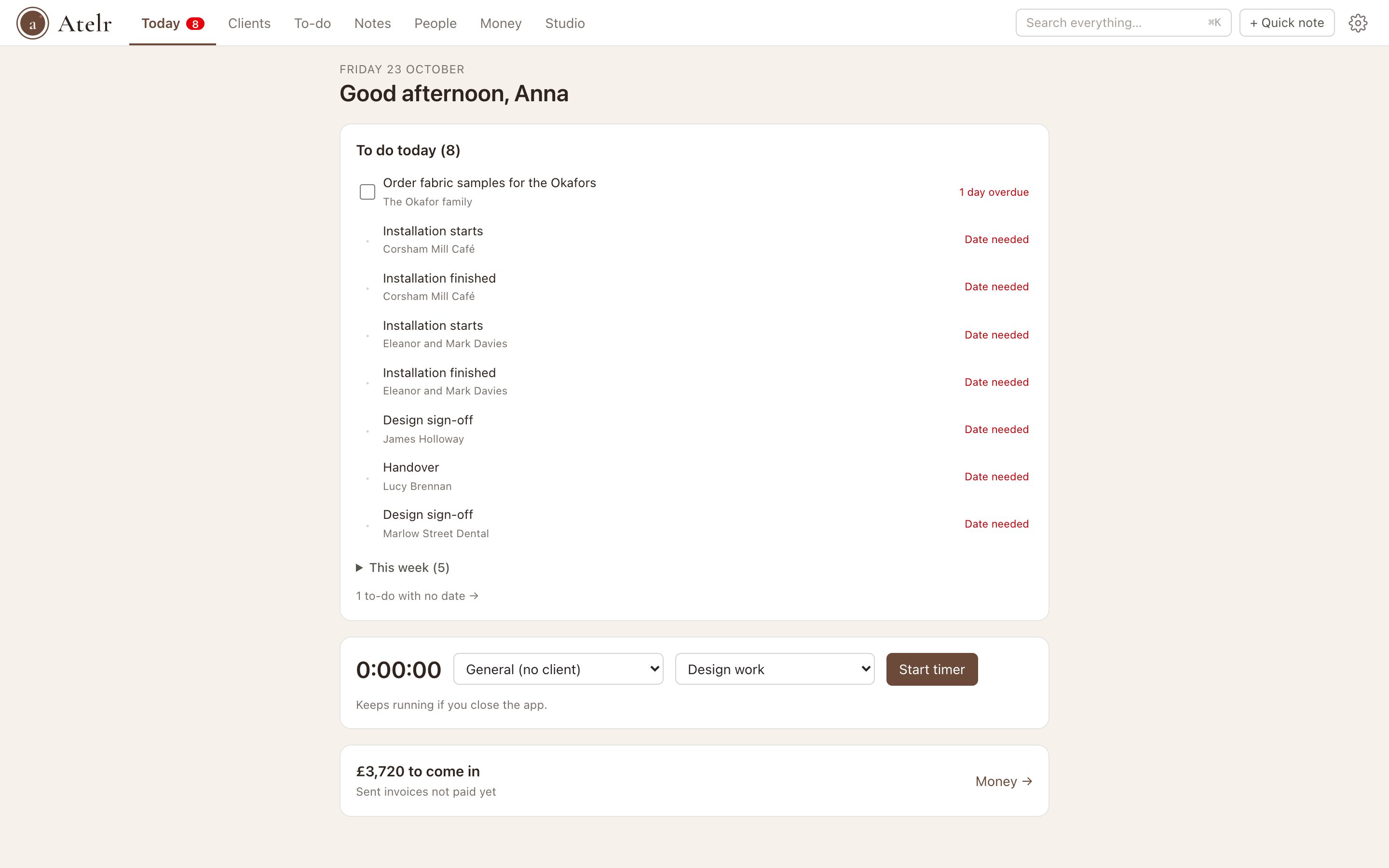
The Today page: getting started steps, money owed, clients waiting on you and everything due today across clients

Every enquiry logged, every reply on time

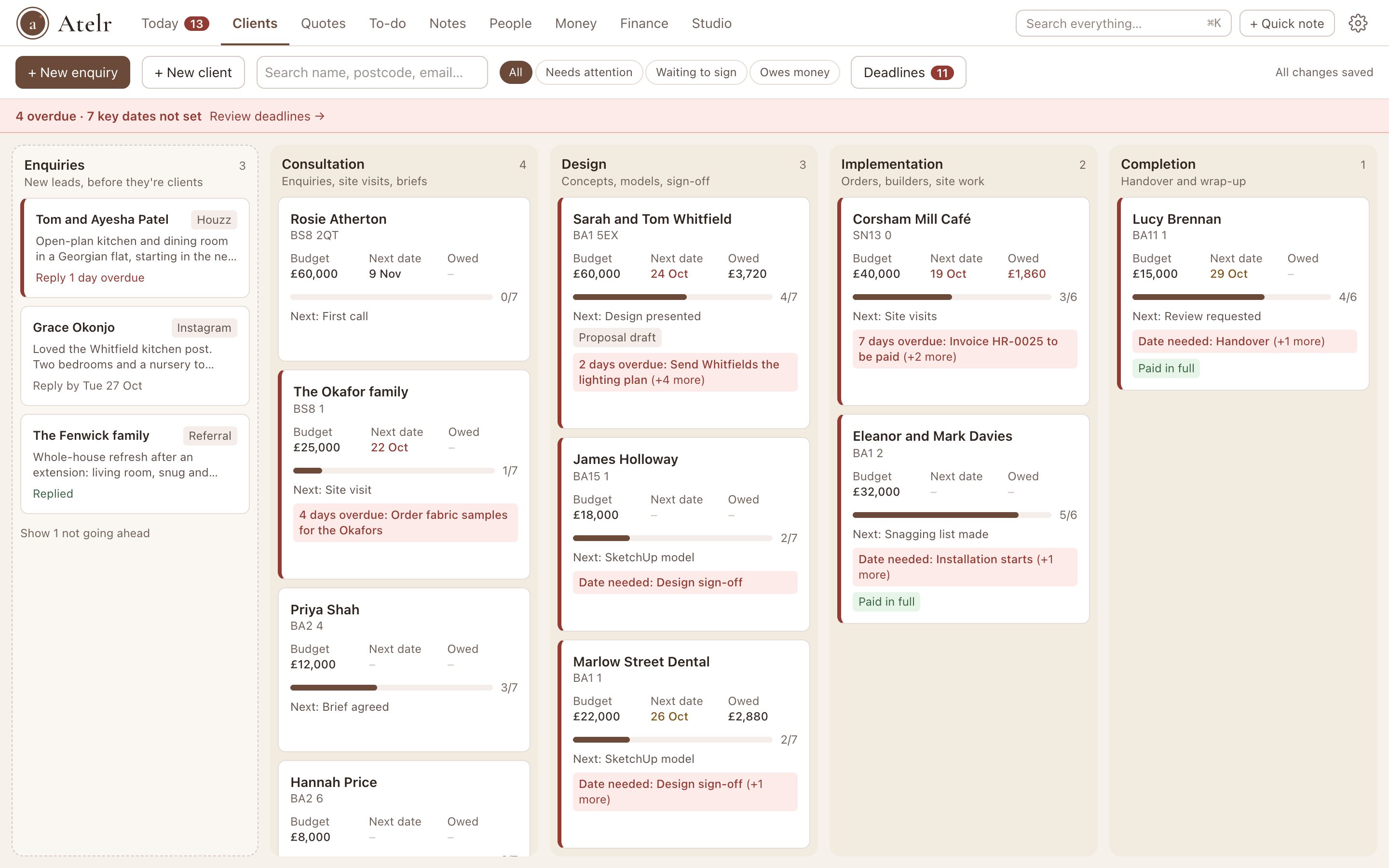
New enquiries sit in their own column at the start of your board. Paste their email and Atelr picks out the name, number, postcode and budget. Each one gets a reply-by date, and when they say yes, one click makes them a client with everything carried across.

  • Where each enquiry came from: Houzz, Instagram, your website or a referral
  • Reply-by reminders on Today, and why the ones that didn’t go ahead said no
  • See which sources actually turn into paying clients
The Clients board with an Enquiries column first: new enquiries with their source and reply-by date, then clients by stage

Draw the rooms, get a price you can stand behind

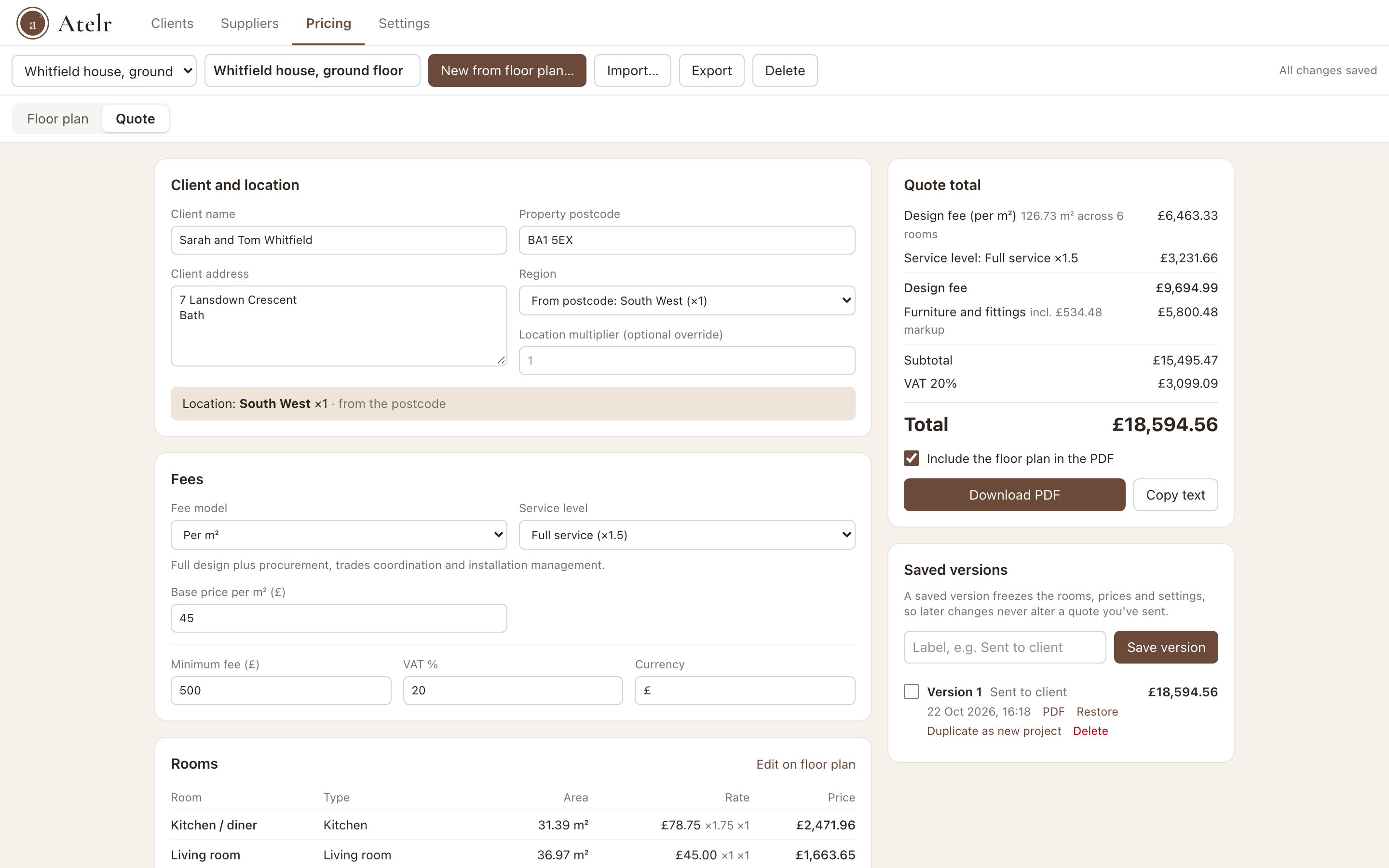
Drop in the plan, trace each room and Atelr measures the floor area for you. Rates adjust by room type and by region from the postcode, so a London kitchen and a Leeds bedroom are priced the way you would price them.

  • Per m², fixed, hourly, % of budget, or a mix
  • A price library of your items, services and bundles like curtains per window
  • Measure in metres or in feet and inches, priced per m² or per sq ft
  • Service tiers, sourced items with markup and a minimum fee
  • Branded PDF quotes with VAT, saved as versions you can compare
Atelr quote screen: client and location, fee model and service level, with the quote total and VAT

Proposals that look like you, and add up every time

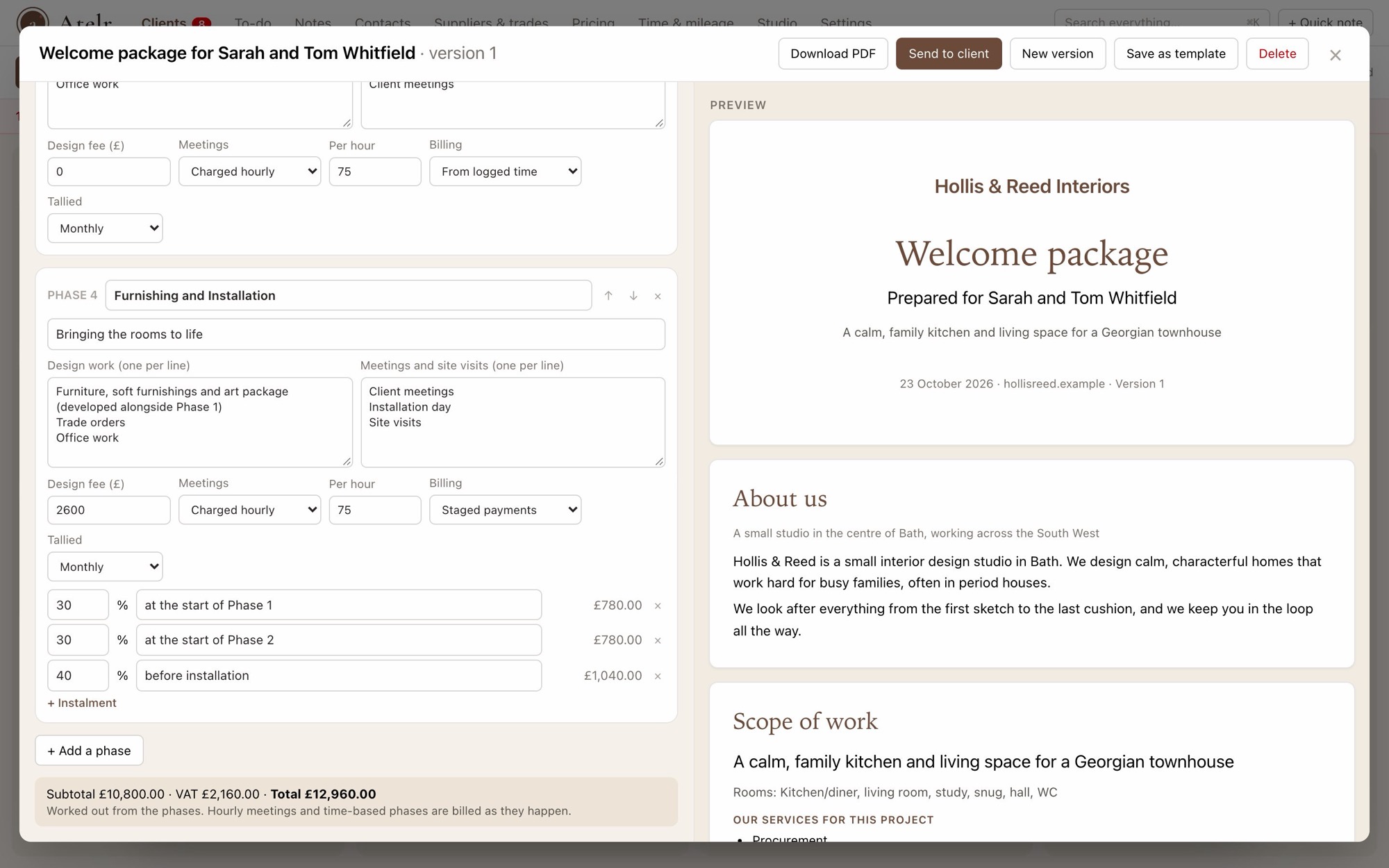
Turn a client card into a branded welcome package: your story, the scope, each phase with its design work, meetings and fees, your trade discount terms and an acceptance page. The fee comes straight from your quote. Edit it with a live preview, email it, and record your client’s signature.

  • Phases, pages and wording are all yours to change, and save as your template
  • Totals worked out from the phases, and a check for anything missing before it goes out
  • Signing moves the job on, sets up each phase’s to-dos and turns instalments into invoices
The welcome package editor: phases with design fees and staged instalments on the left, a live preview of the branded proposal on the right

Contracts signed properly, with the paper trail

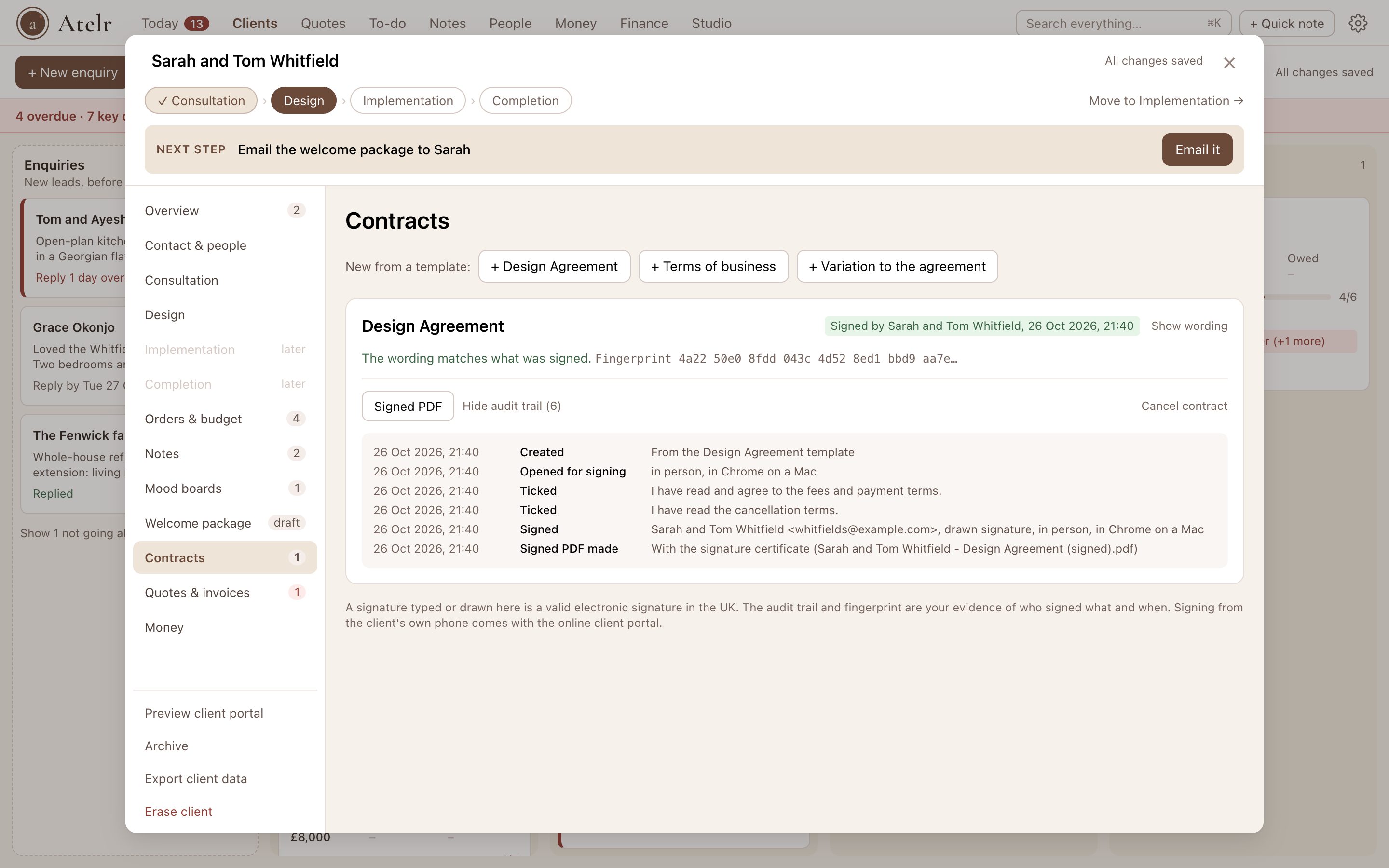
Start from a Design Agreement, terms of business or a variation and make the wording yours. Your client ticks each statement that matters and signs; Atelr records every step and fingerprints the words, so the signed PDF shows exactly what was agreed and when.

  • Tick boxes the client must agree to, such as your cancellation terms
  • An audit trail and a signature certificate on every signed PDF
  • Your signature added, a copy emailed, and a chase if it isn’t signed
A signed Design Agreement in a client’s window: the fingerprint check and the audit trail of when it was opened, ticked and signed

From first call to final photos, at a glance

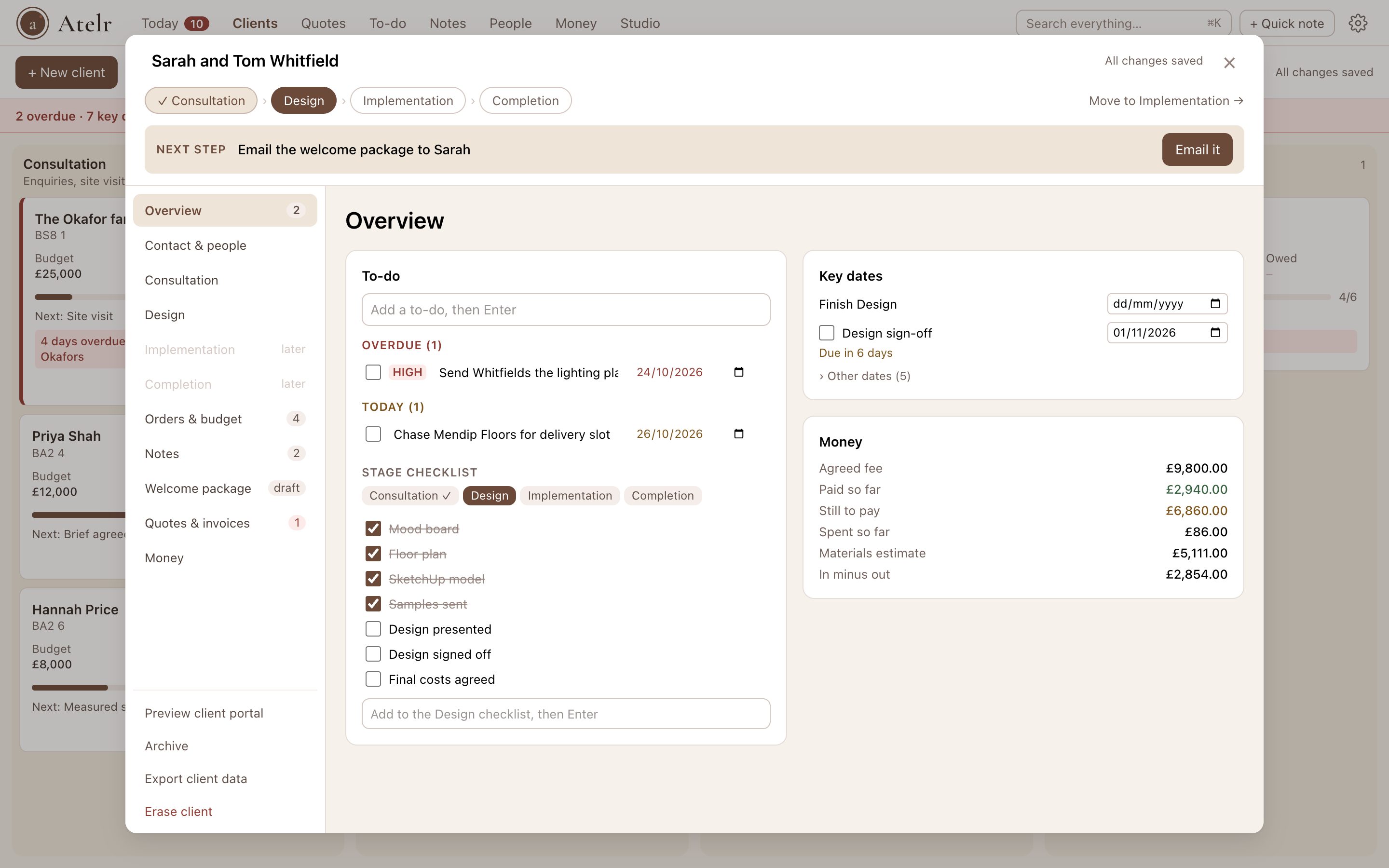
Each client moves across your stages, from consultation to completion. Open a card and the next step is waiting at the top, with a button that does it: add the brief, start the quote, email the welcome package, invoice the deposit. Everything else sits in clearly labelled tabs down the side, so you never scroll to find it.

  • A next step for every client, from enquiry to paid invoice
  • Tabs for contact details, each stage, orders, notes, invoices and money
  • Your own stages, fields and checklists, ticked off as you send, sign and get paid
  • Key dates like installation, with red and amber alerts before anything slips
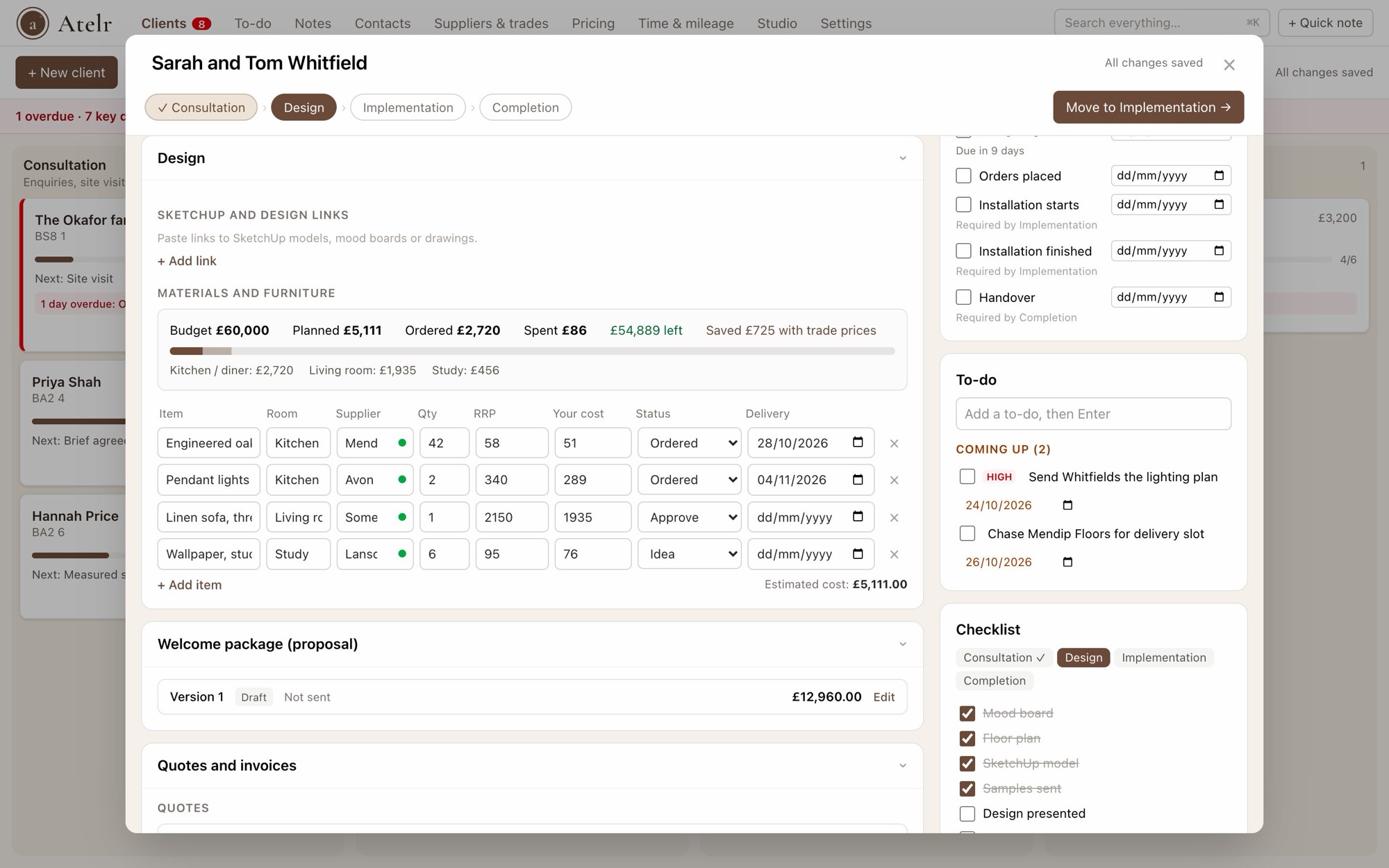
  • Orders against the budget, by room, with the saving from trade prices
A client’s window: the stages and next step across the top, labelled tabs down the left, and the overview with to-dos, key dates and money

Everything you keep in Notion, next to the job

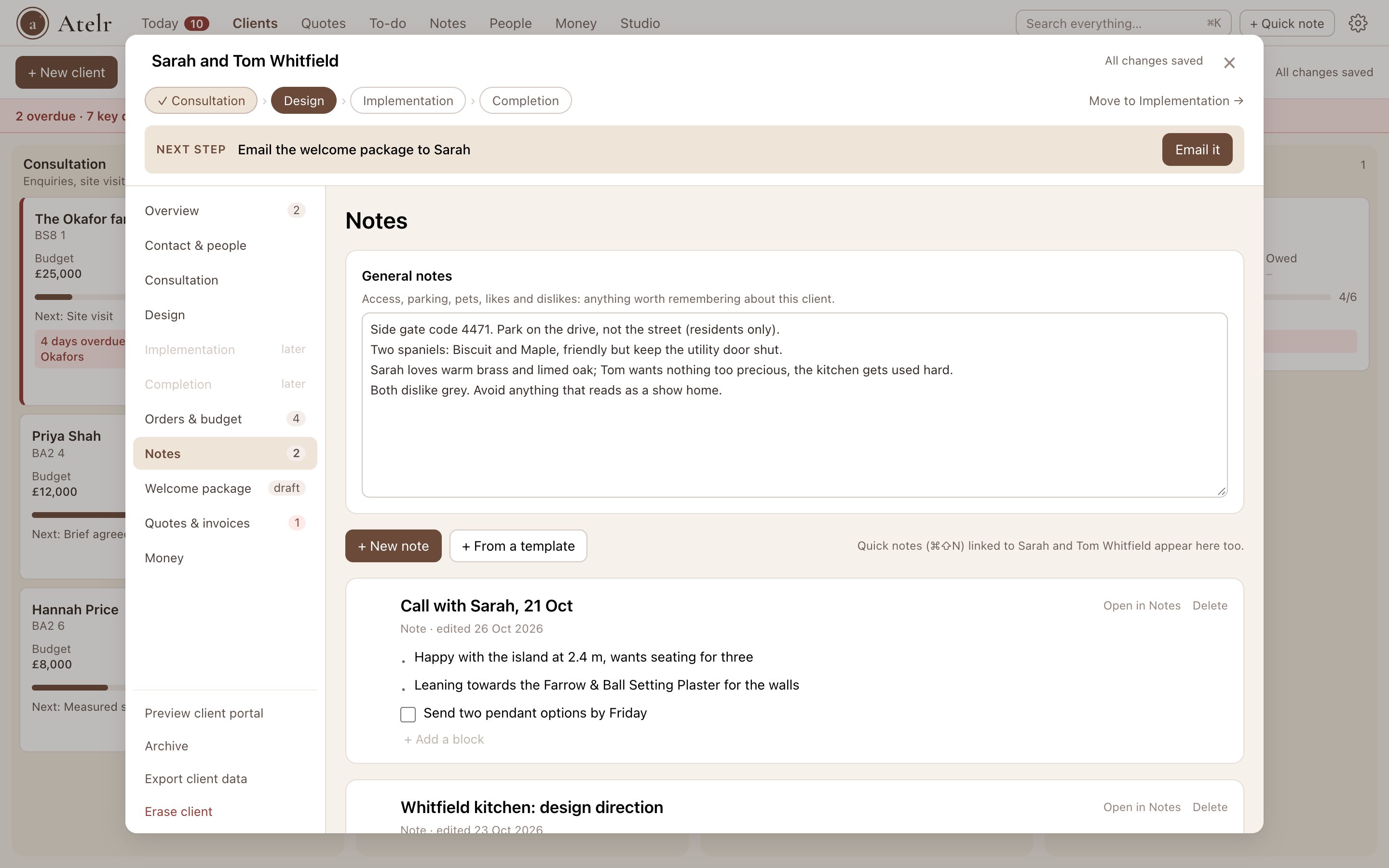
Write pages the way you would in Notion, with headings, checklists, tables and photos, and link them to a client. Each client has a Notes tab with everything written about them, quick notes included. Your to-do list covers every job and your own admin, on a list or a calendar. Bringing your Notion workspace across takes a few clicks.

  • Type / for any block, or @ to link a client, supplier or another note
  • Saved views on your to-do list, and one search for everything
  • Import Notion pages and databases as notes, to-dos and lists
A client’s Notes tab: general notes at the top, then each note about the client with headings, a checklist and a table

Your suppliers and trades, sorted by distance

Keep your suppliers, trades, discounts, prices and your own ratings in one directory, and see who is closest to the property. Need someone new? Search by postcode and category and add them in one click.

  • Trade discounts, day rates and price lists kept together
  • Star ratings and private notes on every builder and supplier
  • Find new suppliers nearby from OpenStreetMap

Fewer “where are we?” emails

Raise numbered invoices against a client in seconds, with VAT worked out. Coming soon: a client portal in your studio name, where your client sees their welcome package, quotes, invoices, and what is paid and still to pay.

  • Invoices from each phase, quote or logged hours
  • Add invoices you sent before Atelr, so what each client owes is right from day one
  • Share receipts for costs on the job alongside their invoices
  • Choose which suppliers’ and trades’ invoices your client will see
  • Preview the client portal now, ahead of its launch

Know what every project actually made

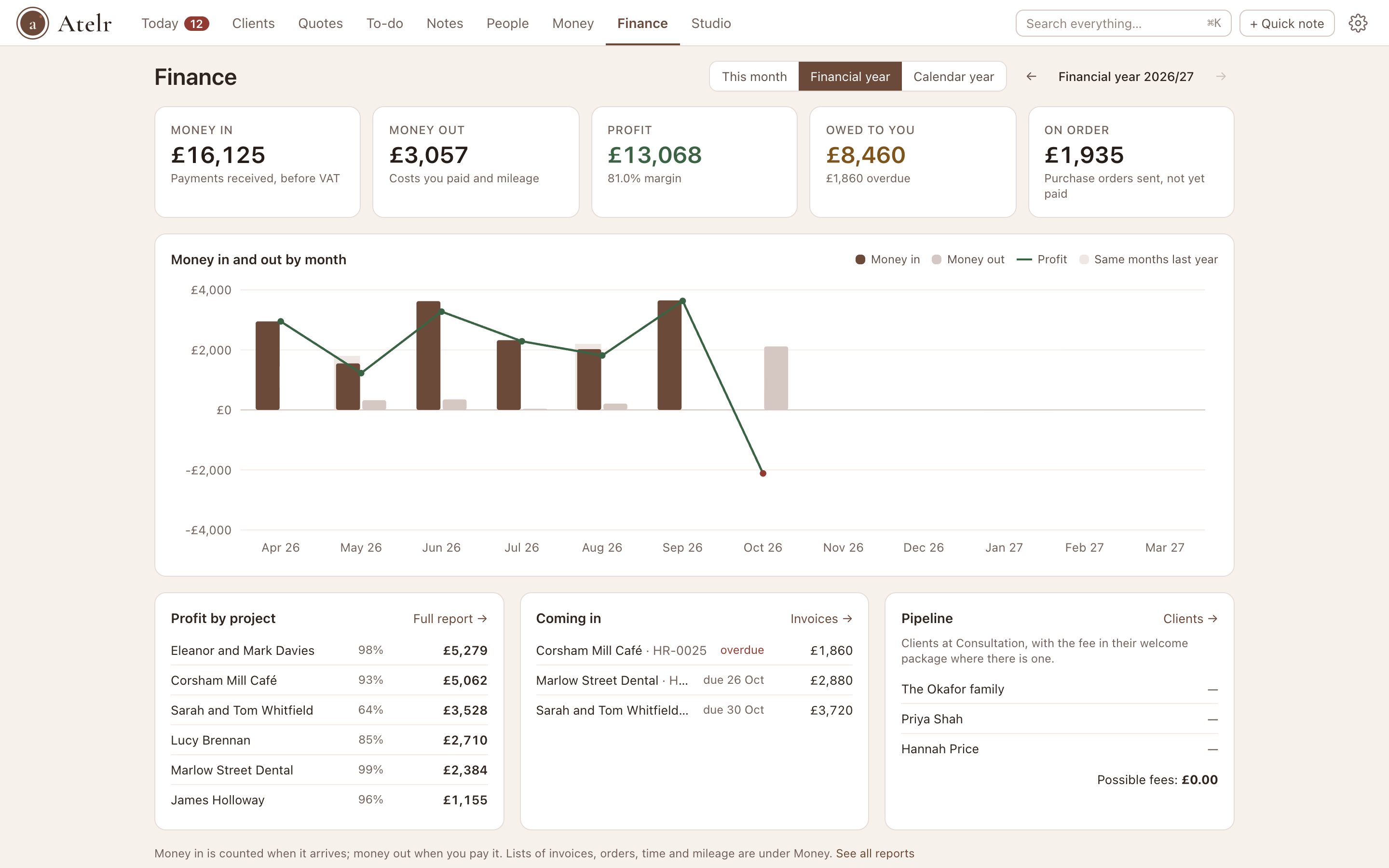
Finance shows money in, money out, profit and what you are owed for this month, the financial year or the calendar year, with each month set against last year. Reports break profit down by project, including your margin on products, your mileage and what you earned per hour logged.

  • Profit per project, profit and loss, money owed, spend by supplier and VAT
  • Every report as a spreadsheet or a PDF on your letterhead
  • Your financial year: the tax year from 6 April, or your company year end
The Finance tab: money in, money out, profit, owed and on order for the financial year, a chart by month, and profit by project

Hours and miles your accountant can use

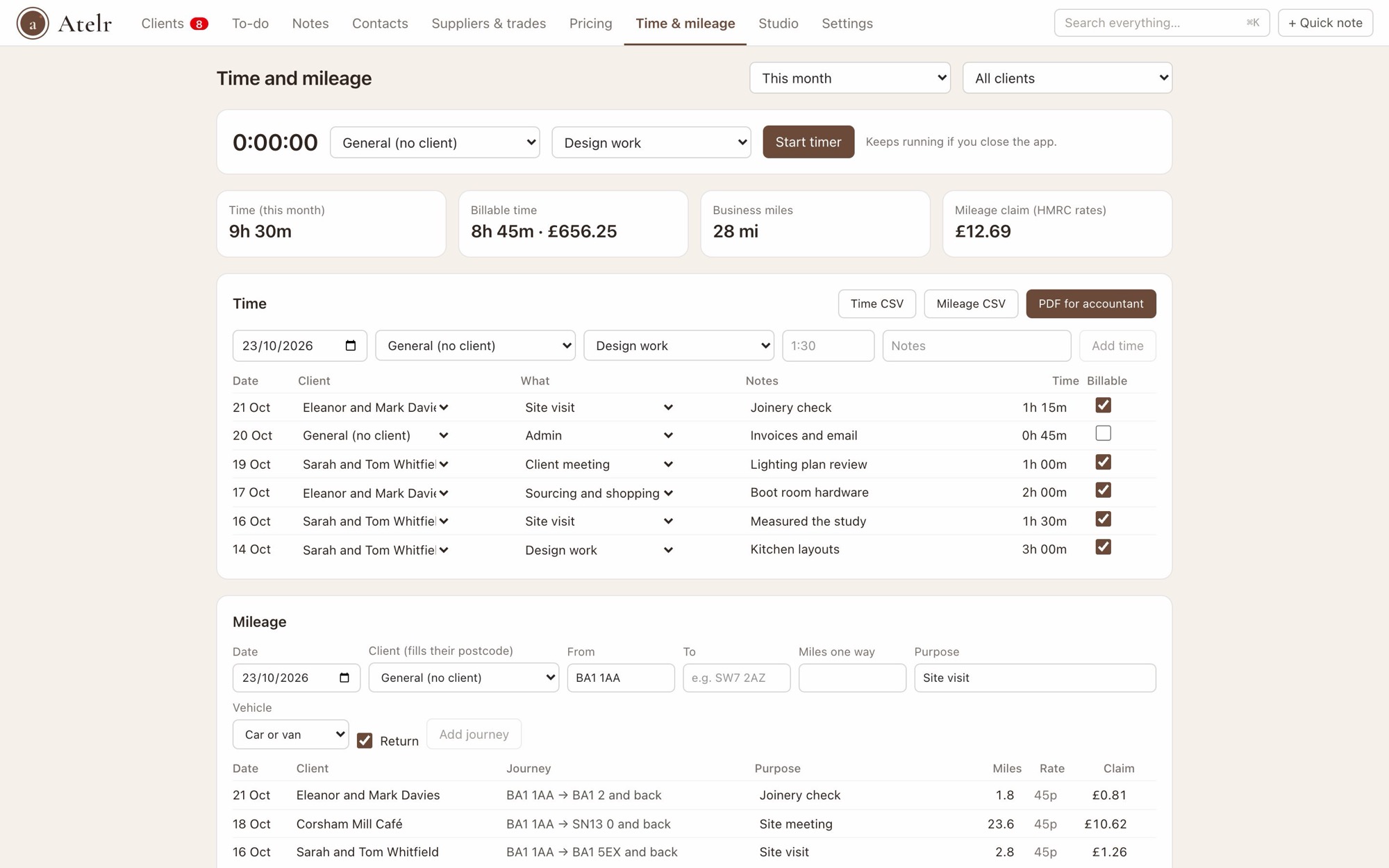
Start a timer or jot down the hours against a client, design work or site visit. Journeys from home to a client’s postcode are measured by road and claimed at HMRC rates, and the whole tax year exports in one go.

  • A timer that keeps going if you close the app
  • 45p a mile, then 25p after 10,000 miles, worked out per tax year
  • A receipt on every cost, and all of them in one zip for your accountant
Time and mileage: a timer, totals for the month, logged hours by client and journeys with their HMRC mileage claim

And the rest of your studio

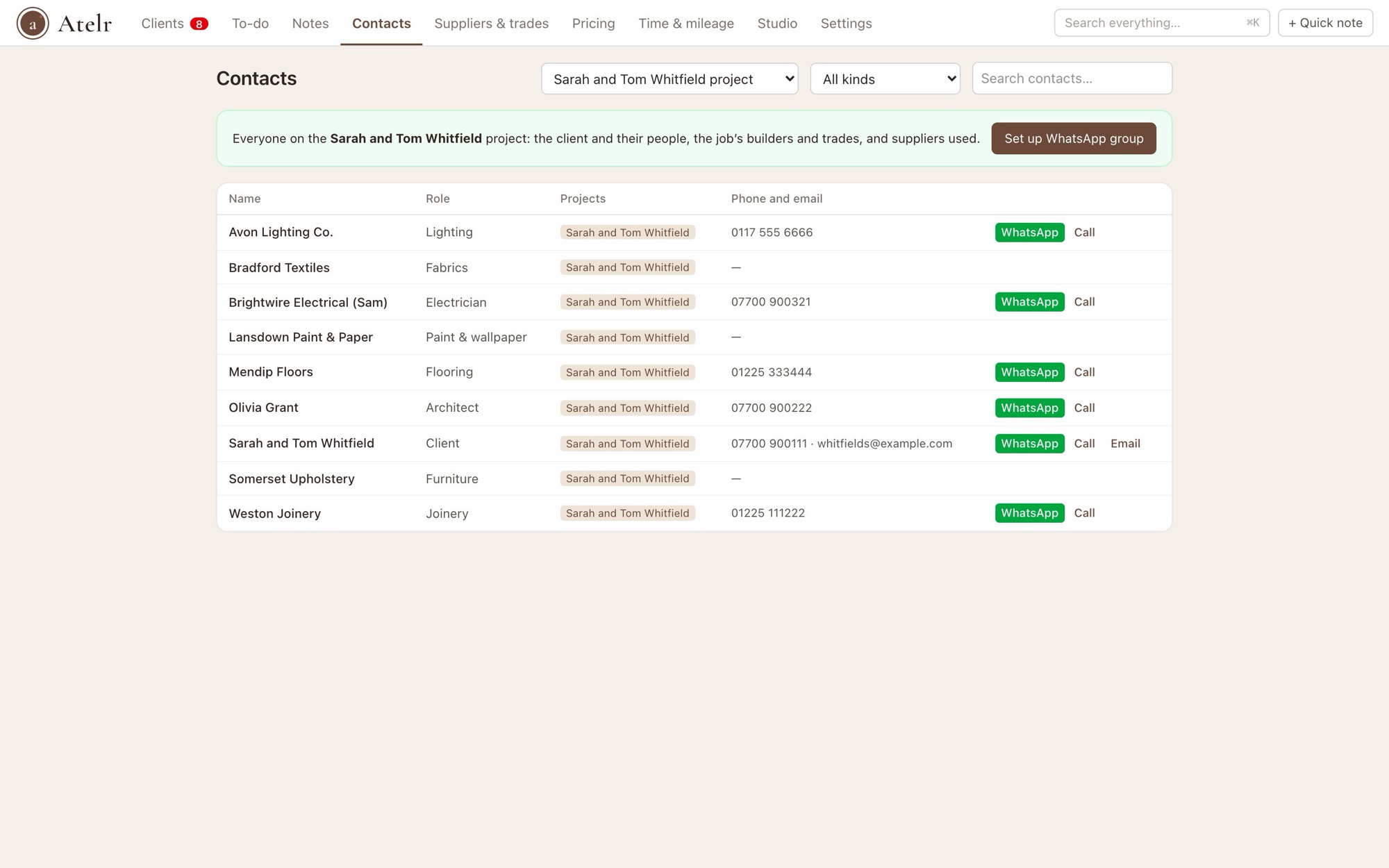
  • Contacts for one project with WhatsApp buttons

    Contacts and WhatsApp

    Everyone on a project in one list, with WhatsApp and call buttons, and a project group set up in a minute.

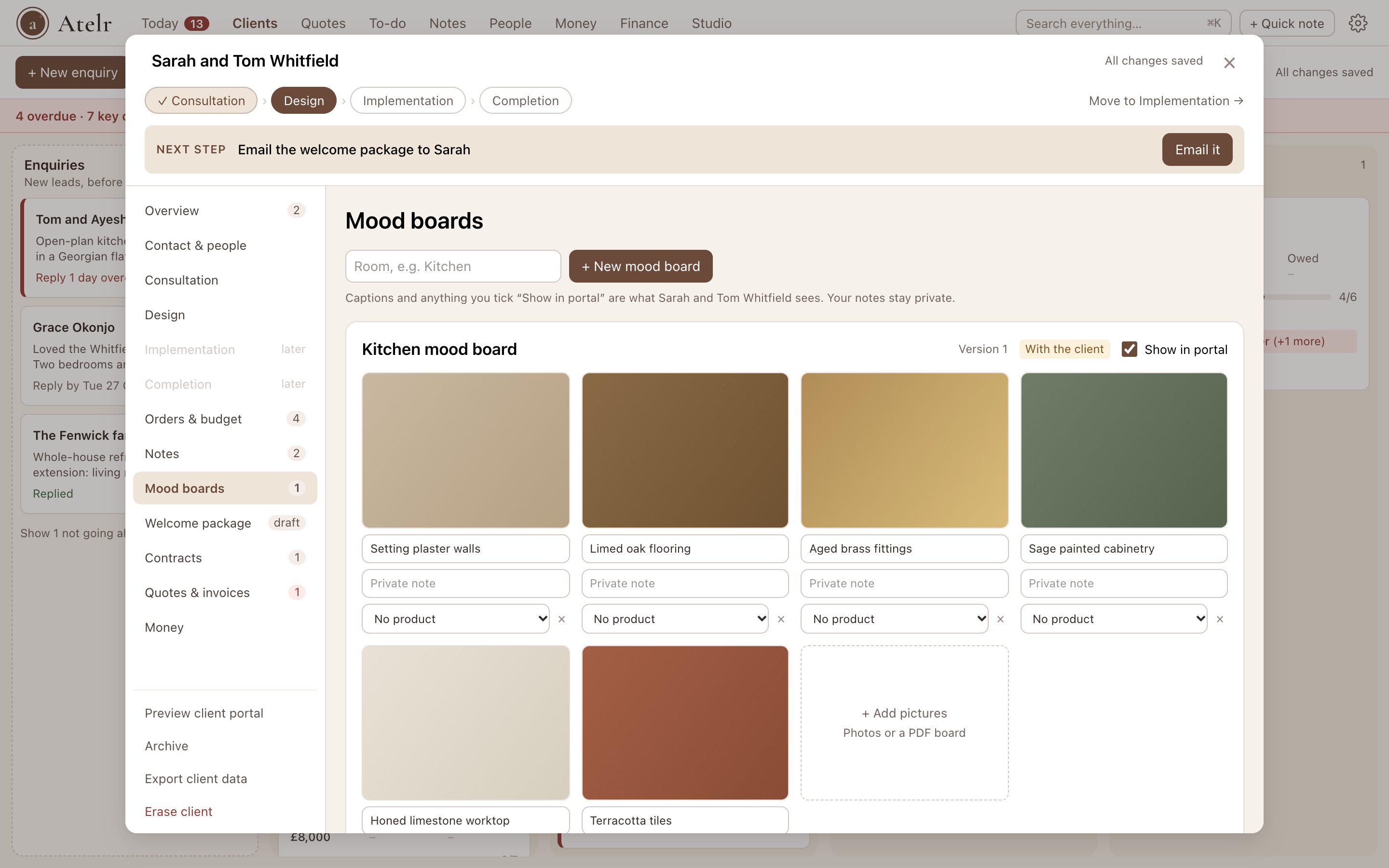
  • A kitchen mood board with captioned swatches for walls, flooring, brass fittings, cabinetry, worktop and tiles

    Mood boards

    A board for each room: drop in pictures or a finished board, caption them for your client and keep your own notes. Share it in their portal, record their decision, and keep every version.

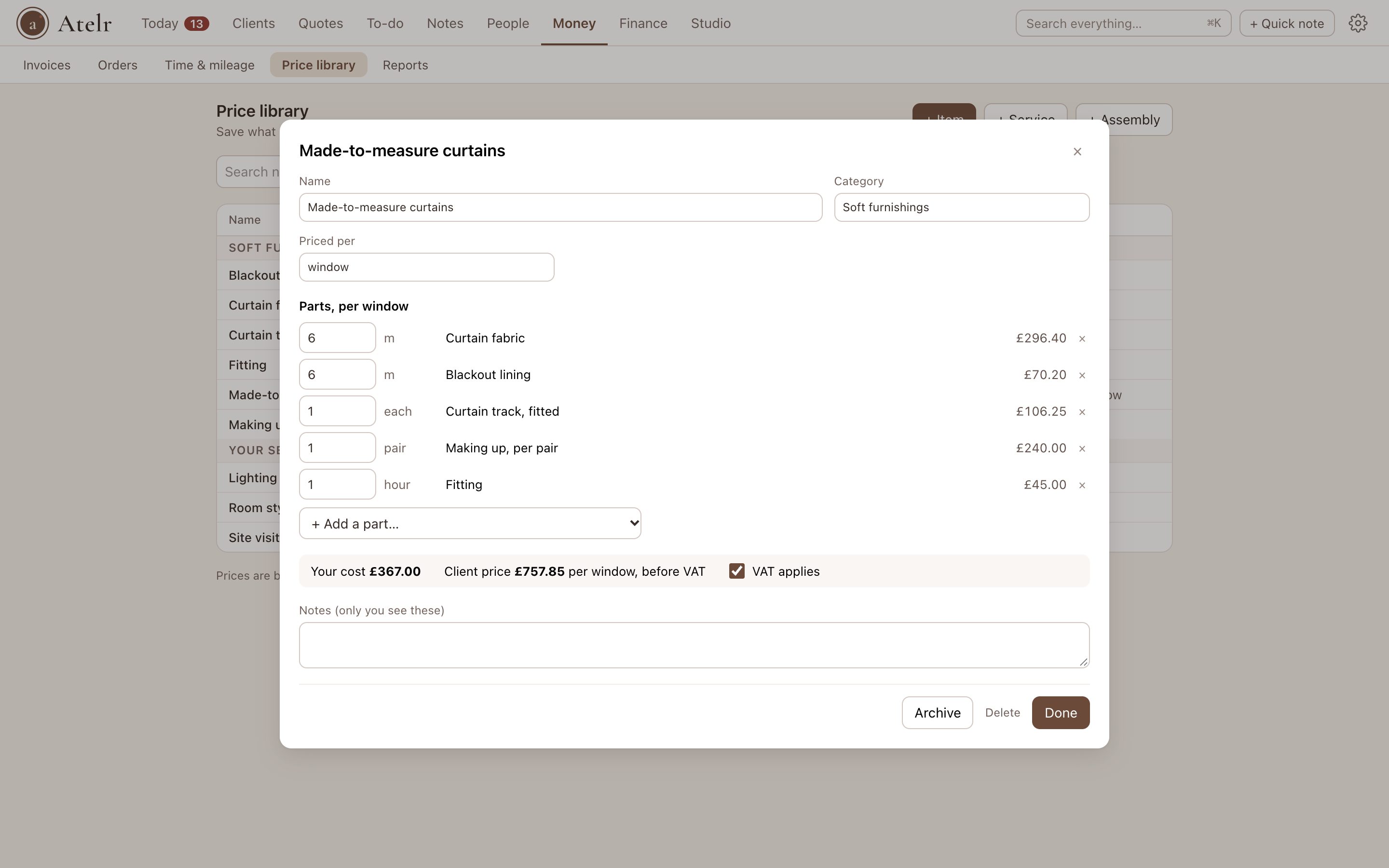
  • The price library with a made-to-measure curtains assembly open: fabric, lining, track, making up and fitting per window

    Price library

    Save the things you price again and again, with your cost, markup and supplier. Bundle them into assemblies that scale with one number, then add them to a quote, invoice or order in a click.

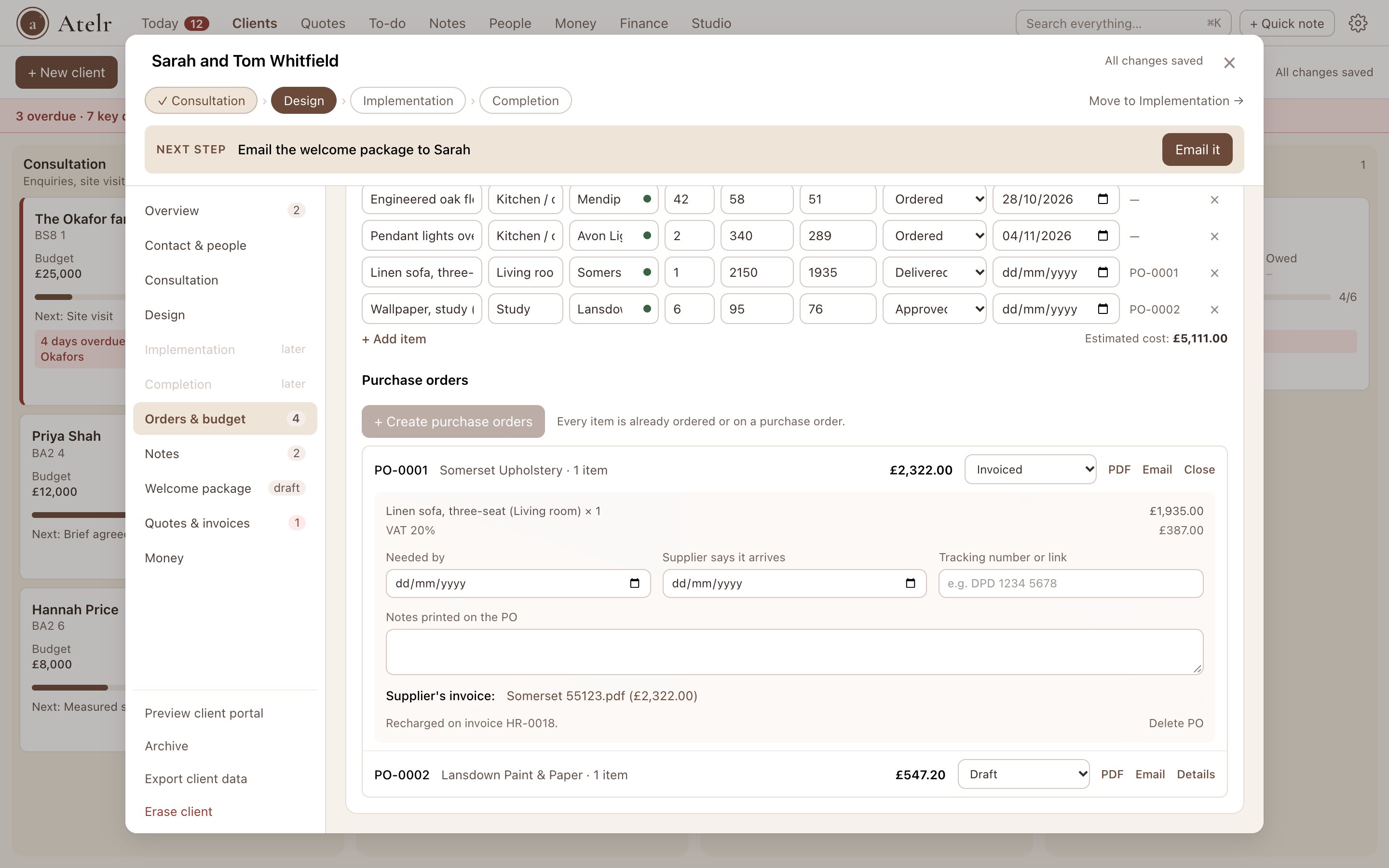
  • A client’s orders with two purchase orders, one open showing its items, delivery details, the supplier’s invoice and the recharge

    Purchase orders

    Tick what to order and Atelr raises one PO per supplier, emails it, tracks the delivery and matches their invoice. Recharge it to your client in one click.

  • A client’s materials list with the budget tracker above it

    Orders and budget

    Every item from idea to installed, delivery dates in your deadlines, and spend against budget by room.

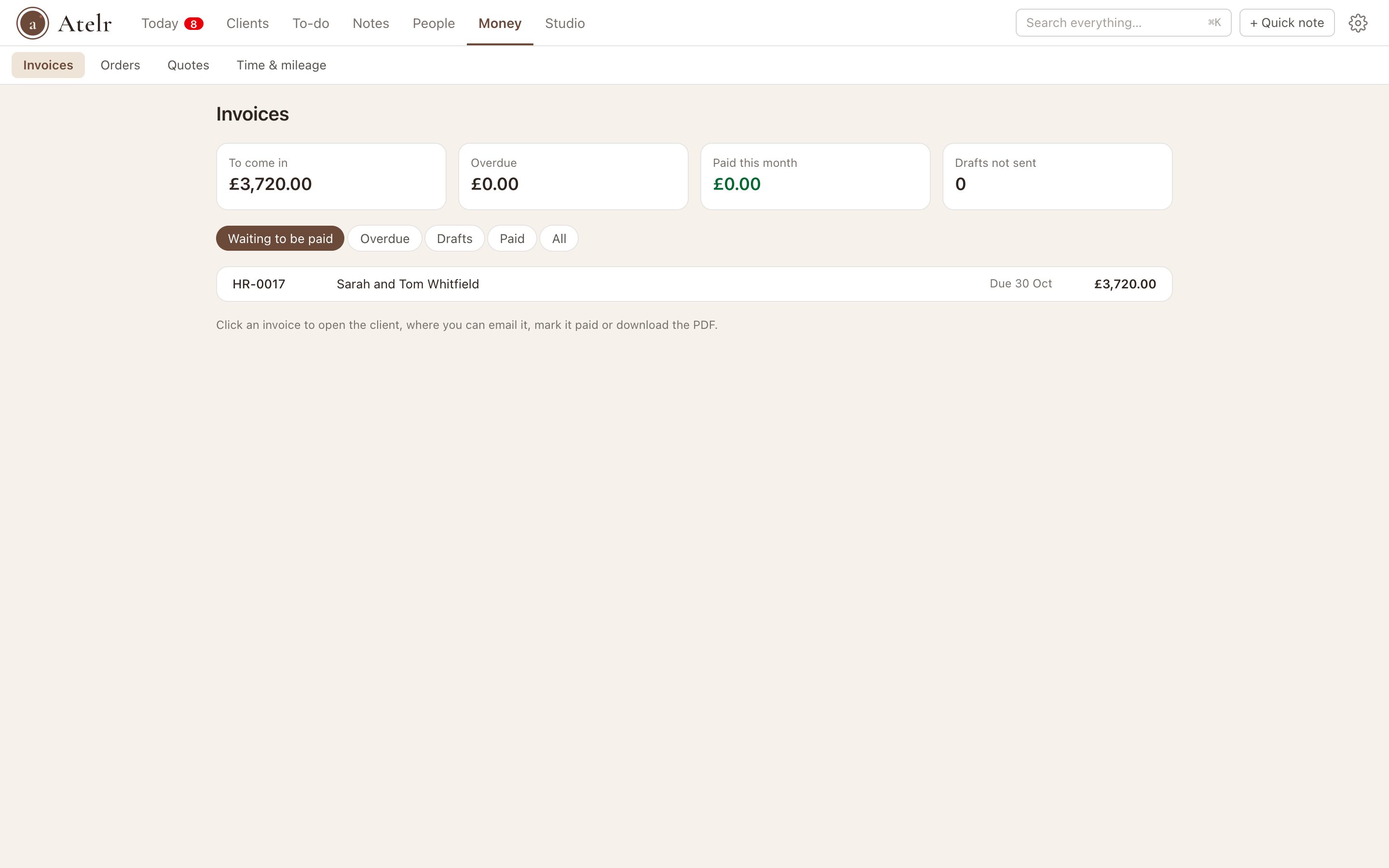
  • All invoices across clients with totals owed, overdue and paid this month

    Money in one place

    Every invoice across every client: what’s owed, what’s overdue and what came in this month, plus all your orders by when they arrive.

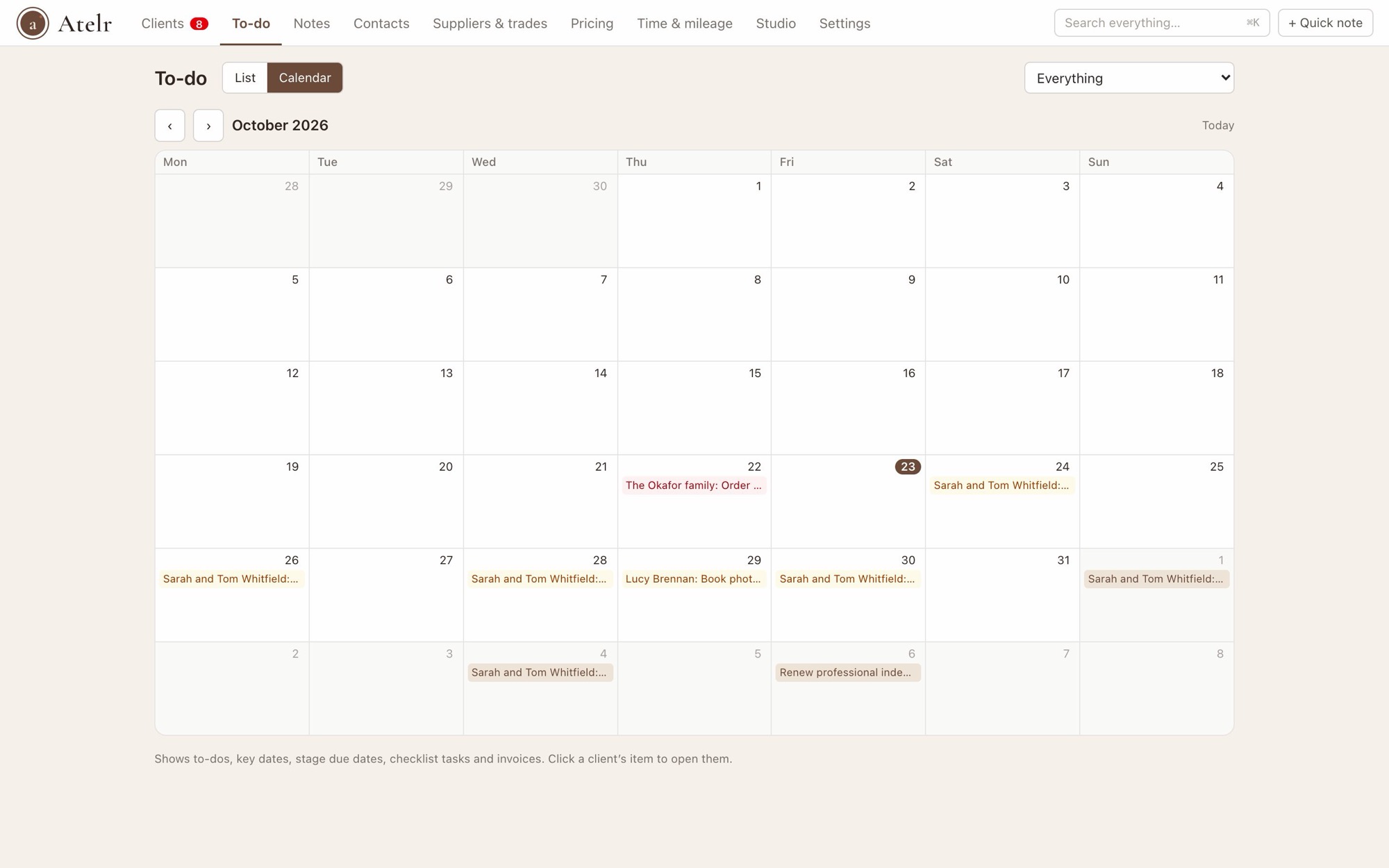
  • The to-do calendar for the month

    To-do and calendar

    One list for every job and your own admin, and a calendar with deadlines, deliveries and invoices.

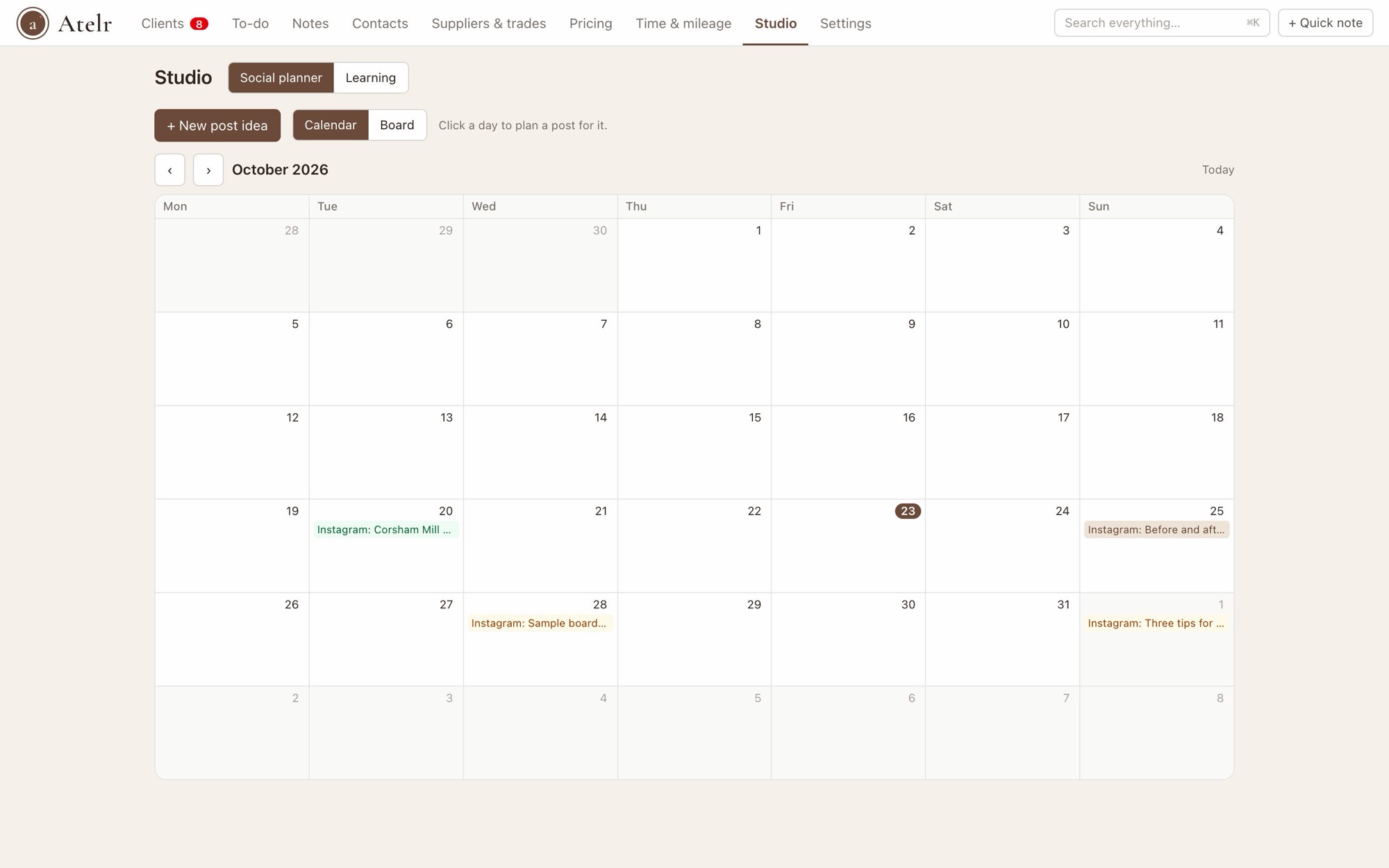
  • A month of planned social posts

    Social planner

    Plan posts on a calendar, keep ideas and captions together, and see what has gone out.

  • Learning list

    Books, podcasts, shows and courses with your ratings and takeaways.

  • Make it yours

    Rename fields, add your own, choose your stages and key dates. Atelr works the way your studio does.

Pricing is coming soon

We’re still crafting Atelr alongside a small group of designers. Pricing will be shared with the waitlist first.

Join the waitlist

Questions

Who is Atelr for?

UK residential interior designers working on their own or in a studio of up to five, who currently run jobs from spreadsheets, Word quotes, WhatsApp and email.

Can it replace Notion for me?

That’s the idea. Atelr has pages built from blocks, to-dos and calendars, and they sit right next to your clients, proposals and invoices. Export your Notion workspace as Markdown & CSV and import it into Atelr: pages become notes, and databases become to-dos or lists.

Can I set it up the way my studio works?

Yes. Rename or add stages, fields, checklists and key dates, add your own pages to clients, and edit every part of your welcome package and contracts, from the phases to the wording your clients sign.

Are contracts signed in Atelr legally binding?

In the UK a typed or drawn electronic signature is valid for a design contract, as it is with tools like Houzz Pro. Atelr keeps the evidence: who signed, the statements they ticked, when, and a fingerprint of the exact words, all on a certificate page in the signed PDF.

Is it a Mac app?

Today Atelr runs as a Mac app. A web version, so you can sign in from anywhere and send clients a portal link, is planned. Join the waitlist to hear when each is ready.

Where is my data kept?

In the Mac app, your projects, clients and suppliers stay on your own computer. When the hosted version arrives, data will be stored in the UK, and you will be able to export everything at any time.

I already have clients and invoices. Can I bring them in?

Yes. Add each client where they are in the job, then add the invoices you have already sent, with the PDF if you have it. Atelr counts them in what each client owes, shows them in the client portal, and carries on your numbering.

When can I start?

We're still building Atelr with a small group of designers, and we'll open it up gradually. Join the waitlist and you'll be among the first to hear, including when pricing is announced.

Be among the first studios

Join the waitlist for early access, first news of pricing, and a say in what we build next.

One email when it’s ready, no spam. See our privacy notice.